Hello, I’m making this post for a friend, ChxrryC4ke, he is running Minecraft from windows 10 on the latest version, and no matter what we do the block party music won’t play for him on any servers.
We’ve waited for months and tried everything so we finally decided to make a post hoping to resolve the issue.
Hi, thank you for submitting a bug report.
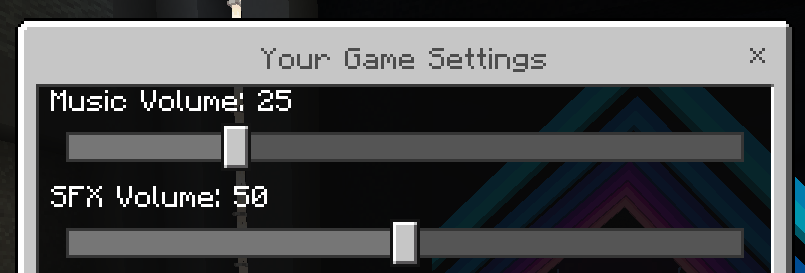
Firstly, please join a Block Party lobby. In your game settings menu (accessed by clicking the cog in your hotbar), ensure the music volume slider is not set to zero, as shown below:
Failing this, redownloading The Hive’s resource pack will likely do the trick, you can do so by following the steps outlined below:
- Leave the server/world you are playing and go to Minecraft’s main menu
- Go to
Settings > Storage > Cached Data
- Tap
Multiselect and select all Hive resource packs
- Delete the selected resource packs
- Restart Minecraft and rejoin The Hive
Please let me know if this resolves the issue you’re experiencing.
2 Likes
Yes! Redownloading the server packs fixed the issue! Thank you so much we were getting so bothered by this, thank you so much.
1 Like
Glad to hear this solved the problem, happy hiving!